What makes a chaotic event different from a well-planned one? It’s all about having a solid plan. Imagine a team of 47 experts working together perfectly, from early morning to evening. This isn’t just a dream; it’s how top businesses operate.
Your marketing campaign needs the same precision. A 90-day plan is like the brain of your operation. It turns random tasks into a well-coordinated team, boosting ticket sales and fan interest while keeping things running smoothly.
This guide will give you that detailed plan. We’ll cover the key parts: a timeline, strategy, creative work, and automation. And, we’ll talk about the human touch and checks needed to make sure everything goes right.
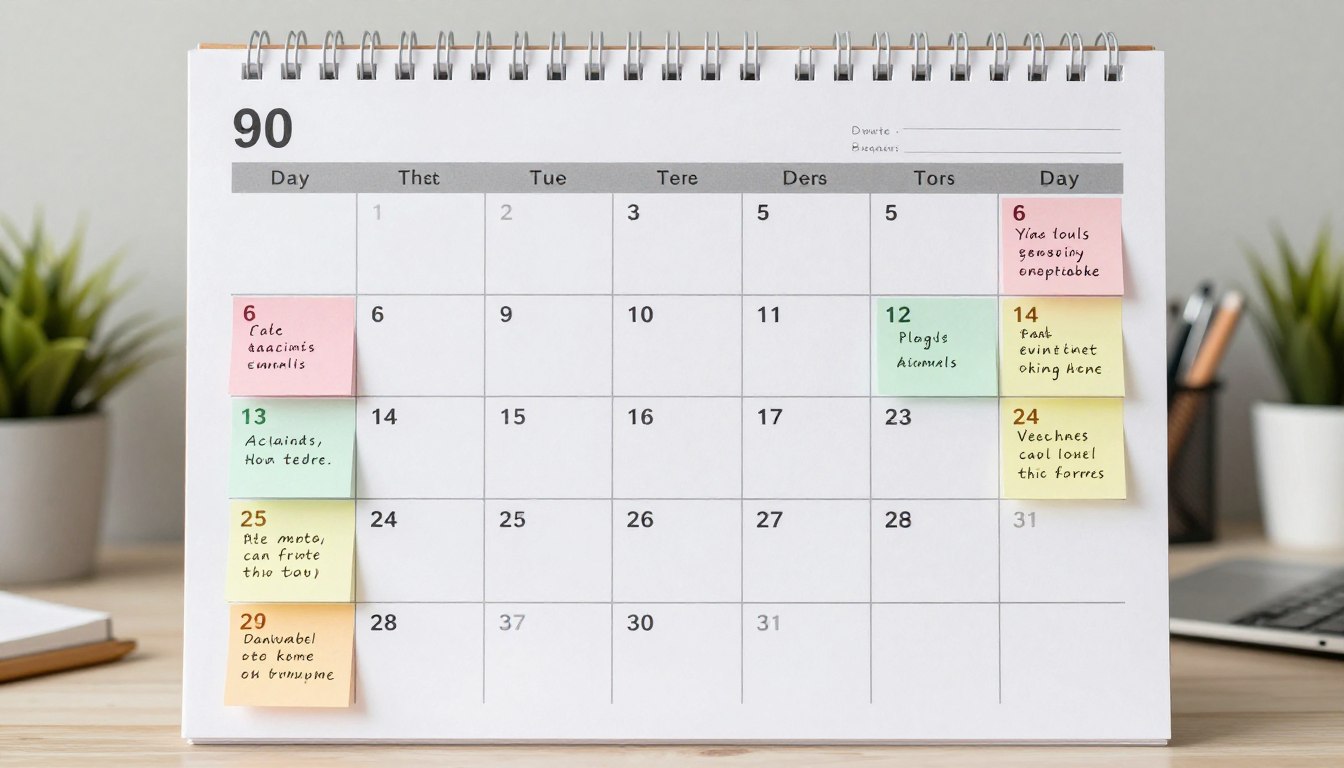
You’ll learn to switch from chaotic reactions to a solid, safe plan. To begin, we offer a event calendar template for you to download. This is your first step to making your event a success.
The master timeline: 90/60/30/14/7/3/1‑day, T‑24h, T‑2h, in‑game, post‑game
A master timeline turns a messy promotional plan into a clear strategy. It guides your audience from casual interest to deep loyalty. This phased approach is key to your countdown campaign. It keeps the momentum going, avoids audience burnout, and delivers the right message at the right time.
Imagine a system that runs 24/7. Tasks and messages start at set times, like 4:30 AM or 8:00 PM. Each phase has its own goal.
Let’s look at the timeline step by step. The early stages build a strong base.
90 Days Out: The Awareness Foundation. Your main goal is to announce the event and spark interest. Focus on the “save the date” theme and the big story. Use social media, email newsletters, and partner announcements.
60 Days Out: Drive Early Action. Now, aim to get people to buy tickets early. Talk about special deals and early access. Use targeted emails and landing pages.
30 Days Out: Create Building Urgency. The message changes to “time is running out.” Highlight attractions, like key games and special guests. Use content that shows what fans will miss if they wait. Good timing your content for sports events here boosts sales.
| Phase | Primary Goal | Messaging Theme | Promotional Focus |
|---|---|---|---|
| 90 Days | Broad Awareness | “Save the Date” / Big Picture | Organic Social, PR, Email Announcement |
| 60 Days | Early-Bird Sales | Exclusive Access / Best Price | Targeted Email, Landing Pages, Paid Social |
| 30 Days | Build Urgency | “Don’t Miss Out” / Feature Highlights | Content Series, Retargeting Ads, Influencer Teases |
| 14 Days | Final Push & Logistics | “Almost Here” / Practical Info | Email Drip, Social Countdown, Sponsor Integration |
As the event gets closer, the timeline gets more intense, focusing on details and excitement.
14 Days Out: The Final Push. Emphasize the benefits of attending. Share details like parking and schedules. Mix in sponsor messages naturally. This phase combines urgency with useful info.
7 & 3 Days Out: Lock-In and Reminders. Aim to confirm attendees and create FOMO. Send reminder emails, share fan content, and post behind-the-scenes looks.
1-Day Out (T-24h): The Last Call. Use visuals and emotions. Share the hype reel, weather updates, and a “see you tomorrow” message. Focus on excitement and calm last-minute worries.
The last hours and the event itself need a special plan.
T-2 Hours: The On-Ramp. Send a “Headed to the Venue?” message. Include traffic tips, a digital ticket reminder, and a call to share on social. Use your event hashtag.
In-Game: The Shared Experience. Goal: Make the live moment bigger. Post updates, big plays, and crowd reactions. Engage with fan posts. This turns attendees into brand ambassadors.
Post-Game: The Advocacy Loop. Immediately thank attendees. Share highlights, key moments, and fan photos. This phase keeps excitement alive, gathers feedback, and sets up for the next event. It ends your countdown campaign and starts planning for the next one.
By following this timeline, you create a smooth journey for your audience. Each message has a purpose, building on the last to drive action and build a lasting community.
Channel choreography: email, SMS, push, organic social, paid boosts
Moving from ‘when’ to ‘where,’ channel choreography ensures your message reaches the right audience at the right time through the right medium. Think of it as directing a tactical swarm. Each marketing channel is a specialized agent with a unique role. Their work must be perfectly synchronized to create maximum impact and drive ticket sales.
This orchestration is the engine behind a powerful drip sequence. Instead of isolated announcements, you build a cohesive narrative that guides fans from awareness to excitement to purchase. The goal is a unified campaign feel, where every touchpoint reinforces the next.
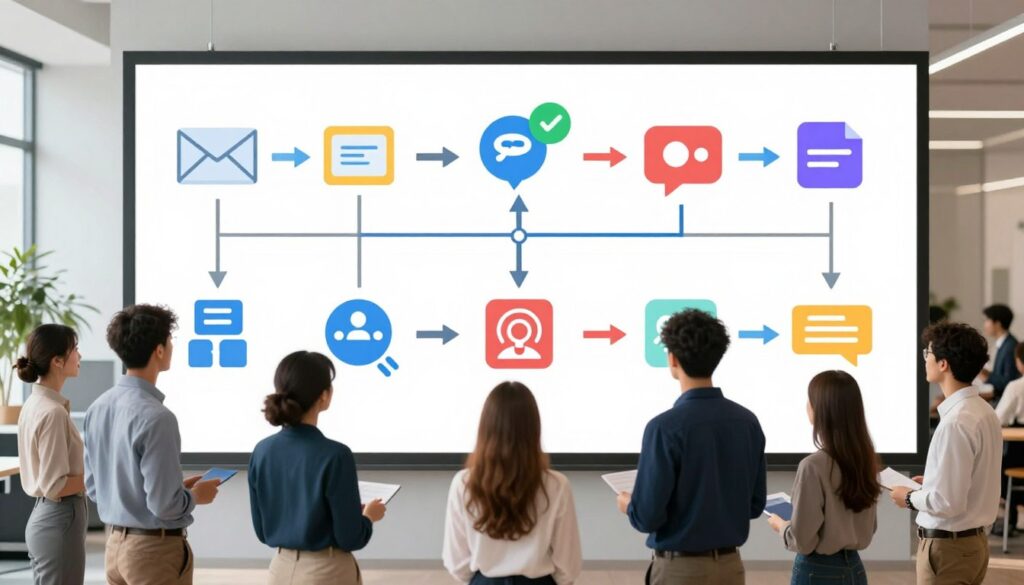
Success depends on assigning the right job to each channel. Their strengths and audience expectations differ wildly. Use the following guide to define their roles in your promotional swarm.
| Channel | Primary Role | Best For | Timing & Frequency |
|---|---|---|---|
| Detailed narratives & direct sales | Sending full event info, lineup reveals, and targeted offers to a subscribed audience. | Weekly drips starting 60-30 days out; daily as event nears. | |
| SMS/Text | Critical, time-sensitive alerts | Last-minute reminders, gate openings, weather updates, and urgent offers. | 24-48 hours before event; day-of alerts only. |
| Push Notifications | Quick engagement wins | Breaking news, score updates (for games), and flash sales to app users. | Sparingly; high-value alerts only to avoid fatigue. |
| Organic Social | Building community & hype | Behind-the-scenes content, fan interactions, polls, and shareable moments. | Daily posts across platforms to maintain buzz. |
| Paid Social Boosts | Amplifying key messages | Extending reach of ticket-sale posts, highlight reels, and targeted ads to lookalike audiences. | Strategic bursts around major campaign milestones. |
The magic happens in the choreography. An email sent 30 days out with a special offer should be supported. The same day, organic social posts can tease the offer, while a paid boost targets fans who visited your ticket page but didn’t buy.
This creates a reinforcing drip sequence across multiple touchpoints. A fan might see the initial tease on Instagram, get the details via email, and then act on an SMS reminder. Each channel plays its part in a single, flowing conversation.
Your paid boosts should amplify the organic content that’s already resonating. This leverages social proof and maximizes your ad budget. Synchronizing these messages turns a series of blasts into a persuasive campaign.
Mastering this channel choreography transforms your promotion from noisy to compelling. It builds anticipation systematically and makes your event impossible to ignore. A well-orchestrated swarm always outperforms a lone shout.
Creative templates: teaser, roster reveal, hype reel, venue map, sponsor slot
Think of your creative templates as a playbook. Each is for a specific moment in the fan journey. It’s like an AI system’s “Pulse” agent, giving quick insights.
This section is about the content of your communication. Having these assets ready is key for speed and brand consistency. It makes execution stress-free.
Your essential library should include these five core templates:
- Teaser Template: Launches the campaign. It sparks curiosity and announces the event with a compelling visual and a clear save-the-date message. Keep copy short and mysterious.
- Roster Reveal Template: Builds connection. Use it to introduce key players, performers, or speakers. Include photos, short bios, or fun facts to make the talent relatable and build fan allegiance.
- Hype Reel Template: Amplifies excitement. This is typically a short video or dynamic graphic montage set to high-energy music. It showcases best moments, fan reactions, or venue shots to drive urgency. It’s perfect content to capitalize on traffic spikes as buzz builds.
- Venue Map & Info Template: Serves practical needs. Attendees need to know where to go, park, and what they can bring. A clear, visually friendly map and a bulleted list of logistics reduce last-minute confusion and support calls.
- Sponsor Slot Template: Delivers on partnerships. Dedicate specific creative formats—like a branded graphic, a shout-out in a video, or a featured social post—to fulfill agreement obligations and provide clear value to your sponsors.
The real power of this system shines in the final stretch. Each core template must have an adaptive version for the T-1 day, T-24h, and T-2h marks. At this phase, their primary job shifts to serving as failsafe reminders.
A teaser transforms into a “Last Chance to Witness…” message. The venue map email gets re-sent with subject lines highlighting gate opening times. These adaptations act as critical, last-chance calls to action for anyone who may have missed earlier communications or is unsure.
By pre-writing this adaptive copy, you ensure no one misses out due to a lack of information. These failsafe reminders are your final, polite nudge, turning interest into action.
In practice, this means your team isn’t writing from scratch as the clock ticks down. They’re simply selecting the right pre-approved template for the moment, ensuring brand voice stays consistent and key messages—like ticket deadlines or parking info—are never omitted. This template-driven approach turns creative execution from a bottleneck into a reliable, automated part of your event machine.
Automation: Zapier flows from ticket purchase to segment updates; weather API triggers; score‑based posts
A modern event promotion strategy relies on automation, not manual effort. This approach sets up systems that communicate with precision and personalization. It makes the 90-day blueprint efficient and scalable.
By automating tasks, your team can focus on creative strategy and engaging with fans in real time. Platforms like Zapier are key to this strategy. They connect your apps and services, creating intelligent feedback loops.
Let’s look at three core automations that boost any event.
1. Automate Attendee Onboarding
When a ticket is purchased, it’s a key moment to engage. Manual processes can delay this. An automated flow ensures instant, warm communication.
Set up a Zapier flow with your ticketing platform as the trigger. When a new order comes in, two actions happen automatically. The attendee’s email is added to a “Confirmed Attendees” segment, and a personalized welcome email is triggered.
This welcome sequence includes a thank-you note, venue details, and exclusive content. It starts building hype immediately with a seamless, professional onboarding experience.
2. Trigger Proactive Weather Updates
Weather affects fan comfort and planning. Automation sends proactive, helpful updates instead of scrambling last-minute.
Connect a weather API service to your SMS or push notification platform via Zapier. Create a “Zap” that checks the forecast 24 hours before gates open. If rain is predicted, it sends a message with a “rain plan.”
For a sunny day, it suggests what to wear, like sunscreen and hats. This thoughtful touch improves the attendee experience.
Game momentum requires speed. Manually crafting and posting after every score is impractical. Score-based automation solves this.
Use a Zapier integration with a sports data API or a simple manual trigger. When your team scores, the automation kicks in. It posts a pre-designed graphic with a dynamic score update to Twitter and Instagram.
You can create template posts for different scenarios. This keeps your social channels lively and reactive, fueling fan conversation in real time.
| Automation Flow | Trigger | Primary Action | Key Benefit |
|---|---|---|---|
| Attendee Onboarding | New ticket purchase | Add to email segment & send welcome series | Instant, personalized fan nurture; builds early excitement. |
| Weather Contingency | Weather API forecast data | Send proactive SMS/push notifications | Enhances attendee comfort and demonstrates proactive care. |
| In-Game Engagement | Score update or manual trigger | Post pre-made graphic to social media | Maintains real-time social buzz with zero manual delay. |
These automations transform your promotion into a responsive, intelligent system. It ensures no communication touchpoint is missed and every fan interaction is timely and relevant. Your staff gains valuable time back, allowing them to manage exceptions and create deeper strategic value.
Staff runbook: roles, comms ladder, approvals, crisis holds
Your staff runbook is like a guide for your team. It outlines roles and prepares for unexpected situations. Just like AI systems have a review structure, your team needs a clear plan. This plan defines who does what, how to communicate, and what to do in emergencies.

Automation handles the rules, but people handle exceptions. A clear runbook prevents delays, ensures quality, and boosts team confidence.
Defining Clear Roles and Responsibilities
Confusion about who’s in charge can kill a campaign. Your runbook must clear up any doubt. Assign specific people to each key task, from writing to monitoring live. This clarity is key for smooth operations.
The table below shows a standard role structure for a mid-sized event marketing team.
| Role | Primary Responsibility | Key Tools | Approval Authority |
|---|---|---|---|
| Content Strategist | Drafts all copy, defines messaging pillars, sets the content calendar. | Google Docs, Airtable, Project Management Software | Must approve all final copy before design. |
| Graphic Designer | Creates all visual assets (teasers, hype reels, maps) using approved templates. | Canva, Adobe Creative Suite | Must approve all visual assets for brand consistency. |
| Channel Manager | Schedules & publishes content across all platforms, monitors engagement live. | Social Media Schedulers, Analytics Dashboards, IFTTT | Can approve and publish pre-scheduled, non-sensitive content. |
| Marketing Lead | Final sign-off on all campaign elements, manages sponsor integrations, holds budget. | Overall Campaign Dashboard, Communication Apps (Slack, Teams) | Must approve all sponsor-related content and major campaign shifts. |
The Communications and Approval Ladder
Not every decision needs a big meeting, but some do. A clear comms ladder tells your team who to contact and when.
- Level 1: Channel Manager resolves minor engagement issues or typos independently.
- Level 2: Content Strategist and Graphic Designer collaborate on copy or asset revisions.
- Level 3: Marketing Lead approves all sponsor messaging, major creative direction, or budget changes.
- Level 4: Full team + leadership briefing for genuine crisis situations (e.g., venue issue, major negative news).
This structure prevents important requests from getting lost in group chats and ensures the right person sees critical information fast.
Implementing Crisis Hold Procedures
Even the best plans face unexpected events. A negative news cycle, severe weather, or a last-minute venue change can make your content seem off. Your runbook must include a “crisis hold” protocol.
This is a set of pre-authorized instructions that allow any team member to pause all scheduled content across channels instantly. It’s a key part of your crisis management protocols.
- Trigger Events: Bad weather impacting the event, major breaking news, a security incident, or a critical system outage.
- Immediate Action: Designated lead sends a “HOLD ALL POSTS” alert via your primary comms channel (e.g., Slack #alerts).
- Team Response: Channel Manager pauses all scheduled queues. Content Strategist drafts holding statements. Team regroups to assess and plan next steps.
Having this procedure written down removes hesitation and enables responsible, rapid response.
Personal Automation for the Team
While Zapier flows manage core campaign workflows, simpler tools can empower individual team members. Platforms like IFTTT (If This, Then That) are perfect for personal task automation.
For example, a team member can set a personal applet: “IF I post the final venue map on Instagram, THEN share it to my personal Twitter/X to amplify reach.” This complements the central system without adding complexity to the main runbook.
Your staff runbook turns your team from reactive problem-solvers into proactive event conductors. It ensures everyone knows their part, so when game day arrives, you can focus on engagement, not confusion.
Measurement plan and debrief template; how to compare to prior events
Without a structured debrief, even the most flawless campaigns miss out on valuable insights. Your measurement plan is key to capturing these insights. It turns subjective feelings into objective data you can act on.
Begin by setting your key performance indicators before the event. These KPIs should align with your goals. Metrics like ticket sales, revenue, and email open rates are important. Also, track social media engagement and website traffic.
The debrief should happen within 48 hours after the event. Your core team should meet while memories are fresh. Focus on learning, not blame. Aim to understand what worked and what didn’t.
| Discussion Point | Data Source | Owner | Action Item |
|---|---|---|---|
| Ticket Sales vs. Goal | Ticketing Platform Dashboard | Sales Lead | Analyze last-minute purchase patterns. |
| Social Media Engagement Rate | Meta Business Suite, X Analytics | Social Media Manager | Identify top-performing content format. |
| Email Campaign Performance | Mailchimp / Klaviyo Report | Marketing Coordinator | Segment list based on open/click behavior. |
| Venue & Operations Feedback | Staff Survey, Fan Comments | Operations Manager | Document one process improvement for next time. |
Comparing your results to past events reveals strategic insights. This benchmarking shows your ROI and growth. Look at year-over-year changes and compare different channels.
Make a simple dashboard to compare current KPIs with last season’s. Look for percentage changes, not just numbers. Did your new SMS campaign outperform last year’s email campaign?
This detailed post-game analysis is essential. It turns your debrief template into actionable steps for the next 90 days. You’ll make informed decisions, not guesses. Your next event will be better because you analyzed the last one.
Downloadable CSV calendar and checklist
The final whistle doesn’t mean your work is done. A thorough post-event analysis is key. It’s like an AI learning from data. Your plan and team debrief turn experience into insight.
Look at ticket sales, email open rates, and social media peaks. Compare them to past events. This shows trends and what worked best. Feedback from your team adds more to the story.
To start your 90-day plan right away, we offer two tools. Download our CSV calendar with the full timeline. Also, get our detailed checklist for your event planning. Use these to plan your next event with confidence.