
In the world of sports media, grabbing and keeping a fan’s attention is key. Direct ways to send timely info are now essential for boosting engagement and making money.
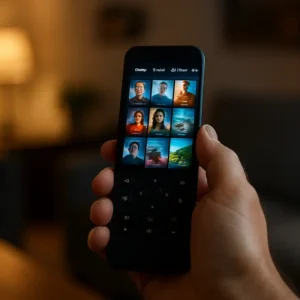
Web push messages bring fans back to your site on their computers or phones, even when it’s closed. On the other hand, app push sends urgent alerts right to a user’s locked phone screen. This makes it perfect for quick updates.
It’s important to know the difference. In-app messages pop up when users are using your app. Push messages, though, show up as a banner on their lock screen, pulling them back in. Picking the right platform for each is key to success.
Today’s systems in 2025 do more than just send messages. They can guess the best times to send them, send messages based on how users act, and share rich media. This turns a simple alert into a personal experience.
For sports teams, this means a lot. Using these channels well can boost fan loyalty and sales. It’s the base for keeping fans engaged and creating a loyal community. Here, we look at how top platforms help with this important task.
Tool comparison: setup, SDKs, geofencing, in‑app messaging, journeys, A/B/n tests, pricing
For sports teams and leagues, features like geofencing and rich media are essential. The platform you choose affects how easily you can use these features. Let’s compare OneSignal, Airship, and Firebase in key areas for sports apps.
Setting up and integrating SDKs is the first challenge. OneSignal is known for being easy for developers, with clear guides for quick test notifications. Firebase Cloud Messaging (FCM) is free for Android and web but needs more coding for advanced features. Airship has powerful SDKs but might be harder to learn, thanks to its detailed dashboard.
After setup, the real power comes from targeting and engagement features. These tools make messages personal and engaging for fans.
Sports apps shine here. For example, sending a promo when a fan is near a venue requires exact location. OneSignal offers reliable location-based triggers. Airship has advanced geofencing for complex zones. Firebase needs you to build this logic yourself. A built-in solution saves a lot of development time for alerts or last-minute offers.
Rich Media and In-App Messaging
A simple text alert is good, but an alert with a video or image is better. OneSignal supports images and icons well. Airship is great for diverse in-app formats, perfect for rich media. Firebase’s core service is basic; adding images or in-app messages requires custom development.
Journeys and Automation
Automating fan journeys is key for growing engagement. OneSignal has good automation workflows. Airship’s advanced automation is a standout, ideal for complex campaigns. Firebase lacks a native journey builder, so you must create these flows yourself.
A/B/n Testing and Analytics
Knowing what message boosts ticket sales is critical. All three platforms offer testing. OneSignal and Airship have dedicated A/B/n testing interfaces. Firebase offers tools for experimentation but focuses more on broader features.
| Feature | OneSignal | Airship | Firebase (FCM) |
|---|---|---|---|
| Setup & SDK Ease | Very easy, excellent docs | Powerful but steeper curve | Base service, more coding needed |
| Geofencing | Reliable location triggers | Advanced & precise | Build your own |
| Rich Media Support | Images/icons in pushes | Rich pushes + in-app formats | Basic, requires customization |
| Journeys/Automation | Solid workflow builder | Enterprise-grade automation | Not native |
| A/B/n Testing | Dedicated interface | Comprehensive testing tools | Part of broader suite |
| Pricing Model | Generous free tier, paid plans scale | Enterprise quotes, premium features | Free core messaging service |
| Best For | Teams wanting balance of power & simplicity | Large orgs needing deep automation & security | Developers needing a free, bare-bones foundation |
So, which tool fits? OneSignal is great for a rock-solid reliable service with a good free plan. Airship is best for large sports franchises needing deep automation and security. Firebase is good for developers needing a basic service. Your choice depends on your resources and how complex you want your fan journeys to be.
Use cases: lineup drops, score changes, half‑time merch offer, venue‑radius alerts, sell‑out warnings
Sports teams can send push notifications for special moments. These messages can boost revenue and fan loyalty. The key is to send the right message at the right time.

Let’s explore five powerful use cases that make this technology shine on game day.
The Starting Lineup Reveal
Fans love to know the starting lineup. When the coach makes the final call, it’s a great time to send a push notification. This creates excitement and encourages fans to share the news.
Real-Time Score & Key Play Alerts
Not all fans can watch the game live. Strategic score updates keep them in the loop. Alerts for big moments, like a tying goal, keep fans interested and might get them to watch the game.
The Halftime Flash Sale
Halftime is a perfect time for a sale. A push notification with a discount on merchandise for 15 minutes can boost sales. It’s like an online shopping cart reminder, but for sports.
Geofenced Venue-Radius Promotions
Location-based alerts are powerful. When a fan is near the stadium, send a special offer. This makes the experience better and can increase spending.
Sell-Out Warnings for High-Demand Tickets
Scarcity creates urgency. For big games, send push notifications about limited tickets. This can convince hesitant fans to buy, helping to sell out the game.
Each use case uses a different trigger: event-based, time-based, or location-based. The key is to be relevant. By matching your push notifications with fan behavior and game moments, you can engage and grow your fanbase.
Creative best practices: timing windows, emojis, images, deep links, deferred deep linking to tickets
Creative execution is key to making notifications memorable. It’s about crafting messages that feel personal and timely. These messages should grab the fan’s attention.
Every detail matters, from timing to where the link leads. Let’s explore how to turn a simple push into a powerful tool for engagement.
Master the Timing Window
Sending a push at the wrong time can lead to more opt-outs. Fans have their own rhythms. It’s important to align with them, not interrupt.
For big news like lineup drops or score alerts, send them right away. For offers, like a half-time discount, time it for natural breaks.
Stay away from late nights or busy work hours. Use data to find when your audience is most active.
Use Emojis with Strategy
Emojis add emotion and urgency in a single character. They also save space in your message. A ⚽ for a goal alert or a 🏀 for a game reminder creates instant recognition.
Use emojis to highlight the call-to-action, like a 🎟️ for ticket links. But don’t overdo it. One or two relevant emojis are enough.
They should enhance the message, not replace it. Test different emojis to see which ones resonate best with your fan base.
A picture is worth a thousand characters. Rich media push notifications with images or GIFs grab attention instantly. Use them to showcase a star player’s face after a big win or the new jersey design in a merch offer.
This visual cue makes the notification stand out in a crowded notification center. Tools like OneSignal and Airship allow you to customize not just the copy, but the style and animation of these rich messages.
This level of personalization makes fans feel connected to the team or brand directly on their lock screen.
Implement Deep Links Seamlessly
A push notification is useless if it leaves the fan searching. Deep linking sends a user directly to a specific page inside your app.
For a sell-out warning, the link should open the exact seat map. For a score change, it should open the live game center. This removes friction and capitalizes on the user’s immediate interest.
It turns a passive alert into an active session within your app, boosting engagement metrics instantly.
Guide Users with Deferred Deep Linking
What if the fan doesn’t have your app installed? Deferred deep linking solves this. If a user clicks a push notification (or any link) but doesn’t have the app, they are guided to the app store.
Once they install and open the app, they are taken directly to the promised content—like the ticket purchase page for that special offer. This creates a seamless journey from discovery to conversion, capturing new users effectively.
Make A/B Testing Non-Negotiable
All these creative choices should be validated, not guessed. This is where A/B testing becomes your most important tool. It is not a complex extra step; it is essential for optimization.
Test different subject lines, emoji placements, images, and call-to-action buttons. For example, a VWO Engage client increased click rates by 47% simply by testing different message formats.
Run A/B testing on your timing windows and deep link landing pages. Small changes can lead to significant lifts in click-through rates (CTR) and reductions in churn.
Establish a culture of continuous A/B testing. Every campaign is an opportunity to learn what truly motivates your fans to click and engage.
Measurement: DAU/MAU lift, CTR, churn, opt‑out reasons
Data is key to a successful push notification strategy. It answers the big question: ‘Is this working?’ Without it, you’re sending messages into the void.
Tracking key performance indicators is essential. These metrics show how well fans engage and how healthy your app is.
Focus on these four areas to see how well your strategy works:
- DAU/MAU Lift: The increase in Daily and Monthly Active Users thanks to your notifications. Are you keeping fans coming back?
- Click-Through Rate (CTR): The percentage of users who tap your notification. This shows how well your messages grab attention.
- Churn Rate: The rate at which users stop opening your app. Your notifications should keep users engaged, not lose them.
- Opt-Out Reasons: Knowing why users disable notifications helps you improve your approach.

To measure DAU/MAU lift, compare activity before and after big campaigns. A good lineup drop alert should boost DAU on the day. Score-update alerts should increase MAU over a season.
Tracking CTR is simple, but context matters. A 15% CTR on a “Final Score” alert is good. But a 5% CTR on a “Merch Sale” alert might be even better. Modern platforms track these metrics well, so you can see how campaigns do.
Monitoring churn is about keeping your app healthy in the long run. If users who get frequent geo-targeted alerts leave faster, your messages might be too much. Knowing why users opt out helps you fix issues before they lose fans for good.
The best insights come from segmenting your data. Seeing overall performance is useful, but diving into different fan segments reveals more.
Does your half-time merch offer appeal more to season ticket holders or casual viewers? Do venue-radius alerts excite local fans but annoy national followers? By segmenting your users, you can find out.
This segmentation lets you optimize better. You can focus on segments that engage more and tailor messages for at-risk groups. It helps you make decisions that improve fan retention and value over time.
Use this data to create a feedback loop. Low CTR on a segment? Try new creatives. High opt-outs in another? Send fewer messages. Let data guide your strategy to keep fans engaged, informed, and loyal.
Implementation plan with sample journeys
A good plan turns ideas into action. Start by choosing a platform. Tools like OneSignal or Firebase make setup quick. PushEngage is easy for everyone.
Use a step-by-step approach. First, add the SDK. Then, use automated campaigns in paid plans. Lastly, create and send your first push notifications.
Success depends on user journeys. These are automated paths based on fan actions or game events.
Start with a New Fan Onboarding Journey. It kicks in after install. Send a welcome push. Then, highlight a team.
End with a reminder for their first game. Each message should link deep.
Next, create a Game-Day Engagement Journey. Send a lineup drop an hour before. Then, a hype alert at game start.
Keep fans updated with live scores for big plays. Finish with a recap and a special offer.
For more on setting up these flows, check out this resource on sports push notifications.
This plan gives you a clear guide. Use these examples to make a notification plan that increases fan loyalty and engagement.