
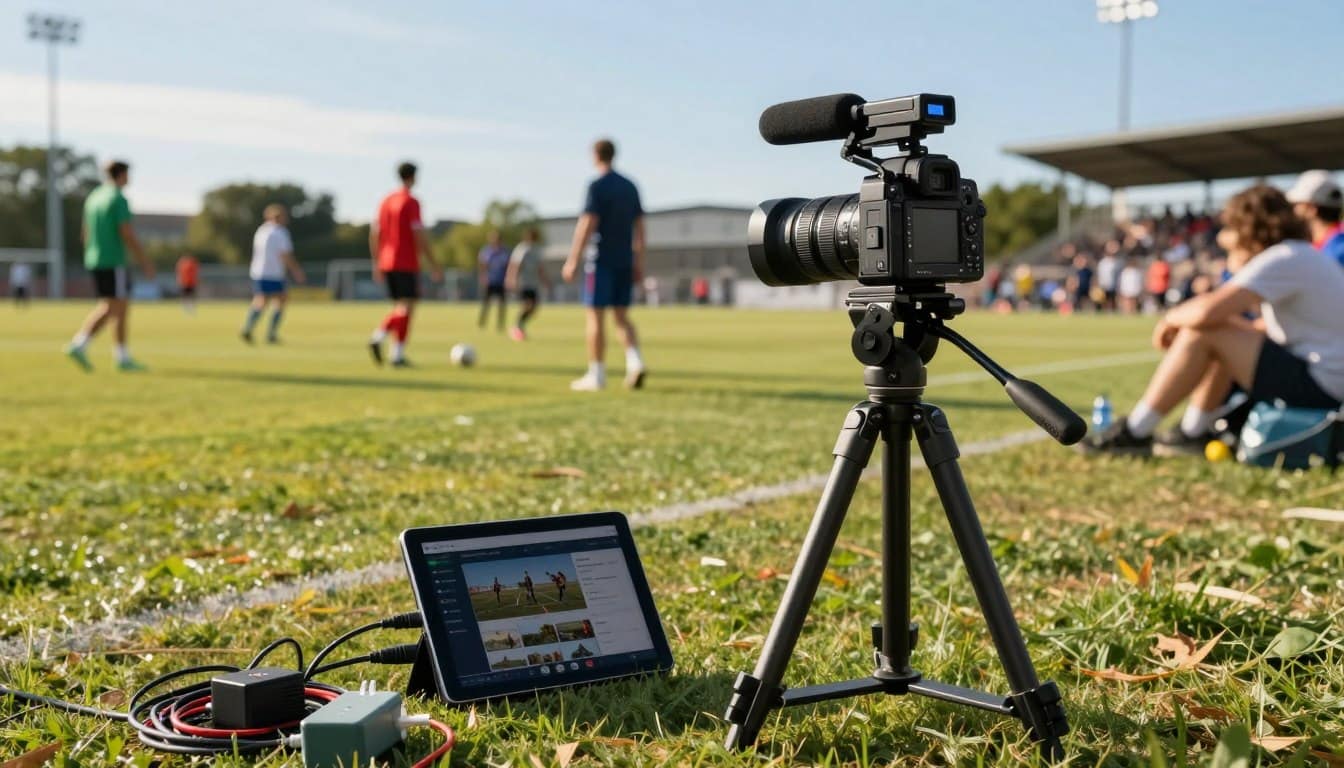
The way we capture and share real-time action has changed a lot. For those covering games and events, this change is huge. It’s great for capturing sidelines, player walk-ins, and the energy of fan zones.
So, what does “broadcast-grade” mean on a budget under $1,000? It’s not about the most expensive gear. It’s about strategic reliability. The key is a stable uplink, clean audio, and steady video.
This approach goes beyond just using a smartphone. It gives a professional, intentional look. Clear sound helps separate commentary from crowd noise. The feed is reliable.
It’s like a lean production method. It offers great value for local sports, school athletics, and niche tournaments. This kit lets creators share live action with real credibility, all without spending a lot. For more on mobile live streaming equipment, check out our detailed guide.
Gear list by tiers: phone, gimbal, tripod, wireless mics, lights, power, rain covers
We’ve organized essential streaming equipment into three tiers. Each tier adds more capability and reliability. They all stay under the $1,000 budget.
This tiered approach lets you start broadcasting right away. You can then upgrade as needed.
Starter Kit: The Essentials
This is your starting point. It includes the basics for a solid stream without being too complicated.
You might already have the most important item.
- Modern Smartphone: Any recent model from the last three years with a good camera.
- Wired Lavalier Mic: A simple plug-in microphone improves voice clarity over the phone’s built-in mic.
- Mini Tripod: Provides a stable, hands-free base for static shots on a table or railing.
- Small LED Panel: A pocket-sized light to illuminate your face in dim venues.
- Portable Power Bank: Keeps your phone running through long games and events.
- Basic Rain Cover: A simple plastic sleeve to protect your phone from unexpected weather.
Creator Kit: Enhanced Stability and Audio
This tier is for regular streamers ready to improve their production value. The key upgrade is professional stabilization.
A motorized gimbal is the game-changer. It delivers smooth footage even when you’re moving.
- Premium Smartphone: iPhone 17 Pro/Pro Max or Galaxy S25 Ultra for superior video processing.
- Wireless Lavalier Microphone Kit: A system with a receiver that plugs into your phone and a clip-on transmitter for the commentator.
- 3-Axis Gimbal: Essential for eliminating shake and creating cinematic movement.
- Brighter LED Light: A larger panel with adjustable brightness and color temperature.
- High-Capacity Power Bank: A model that can charge your phone, gimbal, and mic receiver multiple times.
- Durable Rain Cover: A fitted, waterproof case designed for your specific phone and gimbal combination.
Prosumer Kit: Maximum Reliability
For those who cannot afford a dropped frame or dead battery, this kit prioritizes dedicated, redundant gear. It’s for producing streams that rival traditional broadcast quality.
This level introduces equipment like the Mevo Start, a dedicated wireless streaming camera, for a more controlled video feed.
- Dedicated Streaming Camera or High-End Phone: Options like the Mevo Start or a phone used solely for video capture.
- Bonded Cellular Encoder: A device that combines multiple cellular connections for a rock-solid internet feed.
- Professional Audio Interface: Allows mixing of multiple microphones (commentator and ambient crowd sound).
- Advanced Gimbal or Fluid Head Tripod: Either a heavy-duty gimbal for complex moves or a professional tripod for locked-down shots.
- Studio-Quality LED: A powerful, bi-color light with softbox attachment for flawless illumination.
- Multiple Power Solutions: Several high-wattage power banks and AC backup for all devices.
- Professional-Grade Weather Protection: Hard-shell cases and waterproof bags for all equipment.
Whether you choose the Starter, Creator, or Prosumer path, each kit provides a complete, functional system. You can mix items between tiers based on your most pressing needs, like prioritizing a gimbal for smooth motion or wireless mics for crisp audio.
Apps/encoders: Larix, Streamlabs, Prism, Mevo Multicam; RTMP presets per platform
Getting a pro-looking mobile stream isn’t just about the camera. It’s also about the app that encodes and sends the video. This app turns your camera’s raw feed into a streamable format. It then sends it to platforms using RTMP (Real-Time Messaging Protocol).
Think of your phone as the camera and the RTMP app as the director and broadcast truck. Services like Dacast use RTMP ingest. So, you need an RTMP-compatible app for professional streaming.
Several powerful apps are popular for mobile streaming. Larix Broadcaster is loved for its detailed control over settings. Streamlabs Mobile offers everything you need in one app, including overlays and chat integration.
The Mevo Multicam App is great for multi-camera productions. It lets you control multiple Mevo cameras from one device. This way, you can create dynamic live streams with easy angle switching.
Other options include Prism for simple, clean streaming. Each app has its own strengths. Your choice depends on what you need, like advanced controls or multi-cam support.
After picking your software, setting it up right is key. Each platform has specific needs for resolution, bitrate, and keyframe intervals. Getting these right ensures your stream is stable and high-quality for viewers.
| Platform | Recommended Resolution | Bitrate Range | Keyframe Interval | Notes |
|---|---|---|---|---|
| YouTube Live | 1080p (1920×1080) | 3000-6000 kbps | 2 seconds | Supports up to 4K; stable upload speed critical |
| Facebook Live | 720p (1280×720) | 2000-4000 kbps | 2 seconds | Adaptive bitrate recommended for variable networks |
| Twitch | 864p (1536×864) or 1080p | 3000-6000 kbps | 2 seconds | Non-partnered streamers should use 864p for stability |
| LinkedIn Live | 720p (1280×720) | 2000-4000 kbps | 2 seconds | Professional setting; test connection beforehand |
| Instagram Live | 720p (1280×720) | 1500-3000 kbps | 2 seconds | Vertical (9:16) format required for optimal display |
Use this table as a starting point for your RTMP app settings. Remember, bitrate should match your network upload speed. A higher bitrate means better quality but needs more bandwidth.
For complex productions, you might need to explore our professional live streaming tools. These tools integrate with mobile encoders for seamless workflows.
The right encoder app gives you control over every aspect of your broadcast. From bitrate adjustments to multi-camera switching, your phone becomes a powerful production studio. Mastering these software tools is the final step before hitting “Go Live” on the sideline.
Network strategy: Wi‑Fi vs LTE/5G, dual‑SIM failover, bitrate targets, latency tradeoffs
Networks are key for mobile live streaming. A dropped connection means your broadcast stops. This section helps make your sideline setup reliable.
You have two main options: venue Wi‑Fi or cellular data. Each has its own benefits and challenges.
Venue Wi‑Fi is free and can be fast. But, it’s shared with many others. This can cause buffering and lost frames during busy times.
Cellular LTE and 5G give you more control. They offer fast speeds. Yet, you might hit data limits, face network congestion, and have dead zones in big stadiums.
| Connection Type | Key Advantages | Potential Drawbacks | Best For |
|---|---|---|---|
| Venue Wi‑Fi | No data cost, potentially high speed | Unpredictable congestion, no control, security risks | Low-priority streams, venues with dedicated event networks |
| Smartphone LTE/5G | Direct control, good mobility | Single point of failure, shares device battery | Solo streamers with strong, consistent signal |
| Dedicated 5G Hotspot | Separate device, better antennas, longer battery | Extra cost, another device to manage | Professional setups where reliability is key |
Streamers should know: even with 5G, congestion can happen. Your phone’s signal bars don’t show upload speed well. Always test upload speed at your exact location before going live.
Building Rock-Solid Reliability
For pros, having one connection is risky. By 2026, ‘reliability’ means having a backup plan. Here are advanced strategies:
- Dual‑SIM/eSIM Failover: Use a phone or hotspot with two SIMs. If your primary network fails, it switches to the backup. This is a simple yet effective way to protect your stream.
- Dedicated Hotspot: A separate 5G hotspot frees your phone’s battery. It also has better antennas. This creates a clean, single internet source for your streaming phone or encoder.
- Cellular Bonding: This is the top choice for mobile reliability. Bonding combines multiple internet connections into one. If one fails, the stream keeps going on the other. Services like Teradek or apps like LiveU use bonding to almost eliminate dropouts.
- Wired Backup: If you’re in a fixed position, use a USB-C to Ethernet adapter for your phone. It gives you an unshakeable connection. It’s the ultimate fail-safe.
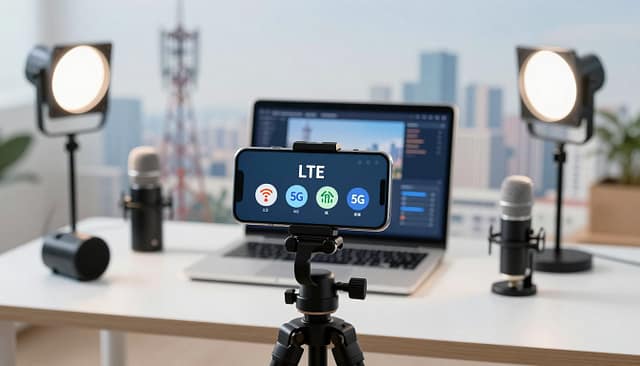
Your network plan affects your stream’s quality. High bitrates on weak connections cause instability. Aim for the best reliable quality.
For 1080p streaming, a bitrate of 3 to 6 Mbps is good. Start at 4 Mbps and adjust based on your connection test. Lower bitrates (2-3 Mbps) are better for crowded areas or long broadcasts to save data and battery.
Every connection choice has a latency tradeoff. Venue Wi‑Fi has high latency (10+ seconds). Cellular is better (5-8 seconds). Bonding solutions add little extra delay for huge reliability gains. This latency is critical for live commentary to sync with the game.
In summary, treat your network as the foundation of your broadcast. Test thoroughly, have a backup plan, and set your encoder for stability first. A slightly lower-bitrate stream that never drops is always better than a perfect one that dies mid-game.
On‑field audio: crowd vs commentary mix, wind filters, sideline etiquette
The sound of the crowd and clear commentary are key to great sideline audio. Good sound makes viewers feel like they’re part of the game. Bad sound can make them leave. Your phone’s mic can’t handle this.
An external mic greatly improves sound clarity. It’s your first step to professional streaming.
For clear commentator audio, a wireless lavalier microphone is best. It’s affordable and perfect for solo streaming. You clip it to your jacket, and your voice sounds crisp and clean. This lets you move freely without being tied to your phone.
To capture the game’s energy, you need ambient sound. The crowd’s cheers and field sounds create atmosphere. Use your phone’s secondary mic or a separate recorder for this.
The goal is to mix this ambient noise softly under your commentary. This makes the viewer feel like they’re right on the sideline with you.
Wind is bad for clean audio. Even a light breeze can cause harsh distortion. A foam windshield, or “deadcat,” slips over your wireless mic. It filters out wind noise while letting your voice through. Always use one outdoors.
Sideline etiquette is very important. You are a guest. Stay away from official camera positions and league officials. Don’t interfere with the game or official communications. Your mobility is a strength—use it to find great angles without getting in the way.
| Microphone Type | Best For | Key Advantages | Considerations |
|---|---|---|---|
| Lavalier (Clip-on) | Solo commentator, interviews | Hands-free, consistent audio, affordable | Requires proper clipping to avoid clothing rustle |
| Wireless Handheld | Dynamic commentary, multiple hosts | Excellent sound control, durable | Requires one hand to hold, can be conspicuous |
| Shotgun (Directional) | Capturing specific ambient sounds or field noise | Rejects off-axis noise, great for focused audio | Must be aimed precisely, often needs a boom pole |
A complete wireless microphone kit is great for high-mobility broadcasting. These kits include a lavalier mic, a receiver that plugs into your phone, and sometimes a handheld option. They give you reliable, cable-free audio across the entire sideline.
Mastering on-field audio means planning for both clarity and atmosphere. Start with a reliable wireless mic for your voice. Add wind protection. Respect the sideline space. When you mix clear commentary with subtle crowd noise, you create a professional, engaging stream that stands out.
Production workflow: pre‑roll, sponsor bugs, highlight capture on mobile
To make your live sports coverage stand out, focus on three key steps: pre-roll, in-stream graphics, and highlight capture. This approach adds a touch of polish and boosts the value of each broadcast. It does so with little extra effort.

Begin with a pre-roll. A quick ten-second countdown or an intro graphic signals the start of the stream. It builds excitement and gives a professional start. You can make these in simple video editing apps on your phone. Then, play them from another device or add them to your streaming app.
Then, add sponsor bugs. These are static logos in a corner of your stream. They show support and make the broadcast look more official. For creators wanting to earn money, platforms like Dacast offer tools for different monetization models. This elevates your workflow.
The most important part is during the game: highlight capture. Planning this in advance is key for social media promotion.
Here’s a simple mobile-focused workflow:
- Mark Moments Live: Use your streaming app’s record function. Tap a marker or note the game clock when a key play happens.
- Use Dedicated Playback Apps: After the game, use an app like the EDGE App for review. It lets you control playback, slow down clips, and fast-forward to marks.
- Clip and Share: Pick the best 15-60 second clips. Add captions and post them on Twitter, Instagram, or TikTok right away to boost engagement.
This strategy turns a single live event into ongoing promotional content. Even a basic Mevo setup can record an ISO feed for this purpose. By following this simple workflow, you greatly improve the professionalism and reach of your sideline broadcasts.
Safety/permissions checklist and venue coordination
Before you start streaming, make sure you have the right permissions and a safe setup. The best mobile kit won’t help if you’re shut down or if an accident happens. This section covers the key checks to protect you, your gear, and your broadcast rights.
Your On-Site Safety Checklist
Sports events can be dangerous. A pro streamer manages risks well. Start by managing cables. Use heavy-duty gaffer tape to keep them from tripping people.
Next, keep your gear safe. Never leave cameras or mics alone. Use a small, lockable case or keep them in sight. Have rain covers ready for sudden weather changes.
Also, watch out for your safety. Stay in a media area when you can. Be ready for fast-moving players or balls. Your safety is more important than getting the shot.
Navigating Permissions and Professional Coordination
You need the legal right to stream the event. Contact the venue or organization early. For school sports, talk to the athletic director. For club tournaments, find the event organizer.
Explain what you’re doing and where you’ll be. Offer to share the stream link. Schools and clubs might appreciate the coverage. Always get permission in writing, even via email.
| Category | Specific Action | Notes & Priority |
|---|---|---|
| Safety | Secure all cables with tape | High priority. Eliminates tripping liability. |
| Safety | Assign a person to monitor gear | Prevents theft. Medium priority for solo operators. |
| Safety | Identify safe spectator/ media zone | High priority. Consult venue staff on arrival. |
| Permissions | Obtain streaming rights via email | Mandatory. Do this days or weeks before the event. |
| Permissions | Confirm power outlet access | Critical for long events. Bring a long extension cord and a high-capacity battery pack as backup. |
Charge all your gear the night before. This includes your phone, gimbal, and lights. Assume you won’t have easy access to an outlet. As one streamer says: “Extra batteries or a portable power bank is a must for you when you’re streaming on the go.”
Your main battery pack should have at least 20,000mAh. This can recharge your phone many times. Look for a pack with two output ports to charge two devices at once. Test your power bank before packing it.
Good venue coordination can lead to more streams. Being safe, prepared, and professional builds trust. This trust can lead to more invitations and a good reputation as a local sports streamer.
Packing list + setup diagram
This final checklist has everything you need from your gear tiers and workflow. Use it before any game.
Complete Packing List:
- Core Camera: Your smartphone.
- Stabilization: Gimbal and a compact tripod.
- Audio: Wireless lavalier microphones with wind filters.
- Lighting: A small LED panel for dim conditions.
- Power: High-capacity power bank and all necessary cables.
- Encoding: A second phone or tablet with your chosen app (Larix, Streamlabs, Prism).
- Network: A dedicated 5G hotspot and a dual-SIM phone for failover.
- Protection: Rain covers for all equipment.
Recommended Sideline Setup Diagram:
Picture your setup. Put the smartphone on the gimbal, on the tripod near the sideline. Have your commentator ten feet away, wearing the wireless mic. Their audio goes to the audio recorder or a second phone.
This device, along with the cellular hotspot and power bank, goes in a secure backpack. All connections go to your primary encoding phone running your broadcast app.
This visual model helps you know where each piece goes. A reliable setup is key for maximizing engagement during your live stream. Always test everything fully, maybe on a neighbor’s Wi-Fi, before the event. This ensures your smartphone streaming kit is ready for the game.


