

The way we watch sports is changing quickly. No longer are fans stuck to TV schedules. Now, live social broadcasting brings fans together instantly, no matter where they are.
This change is huge. The live streaming market is growing fast, expected to reach enormous sizes. Almost a quarter of all online video is watched live.
For sports teams, this is a big chance. Live video creates unparalleled fan engagement and builds a strong community. It lets teams reach fans worldwide, beyond what TV can do.
Choosing the right platform for your broadcast is key. Here’s a comparison to help you pick the best one for your goals and audience.
Why live social for sports events matters
Imagine a local youth soccer tournament watched by scouts in Europe or alumni fans abroad. This is what live social broadcasting can do. It turns any sports event into a global event.
This change is smart. Platforms like Facebook Live and YouTube Live do more than stream video. They make viewers part of the action. The comment section and live chat tools help build a community around your event in real-time.
One big plus is global audience access. No more barriers. A college showcase can get attention from recruiters everywhere. A semi-pro game can reach diaspora communities far away. This was once only possible with expensive TV deals.
Broadcasters also get real-time feedback. They see how viewers react in chat and can adjust instantly. You can answer questions, highlight moments, and feel the audience’s pulse. This turns a one-way broadcast into a two-way conversation.
The content’s life doesn’t end after the live stream. Highlights, replays, and clips keep driving views and engagement. This extended content lifecycle makes the most of your production effort.
The data shows this value. According to Conviva, live streams get 27% more average watch time than on-demand video. People are more captivated by the shared experience of a live event.
In summary, using live social for sports is key for:
- Expanding Reach: Connecting with a worldwide audience instantly.
- Deepening Connections: Turning passive viewers into an active, invested community.
- Gaining Insights: Using real-time interactions to improve the broadcast and fan experience.
- Maximizing Value: Ensuring your event content continues to attract attention and deliver results over time.
Adopting this approach is no longer just an experiment. It’s a core part of modern fan outreach and event monetization strategy.
Platform comparison: YouTube Live, Facebook Live, Twitch, Instagram/TikTok Live, X—reach, latency, bitrate, chat, replay
To broadcast live sports well, you need to match your event’s needs with today’s streaming platforms. This comparison looks at platform reach, latency, bitrate, chat features, and replay options.
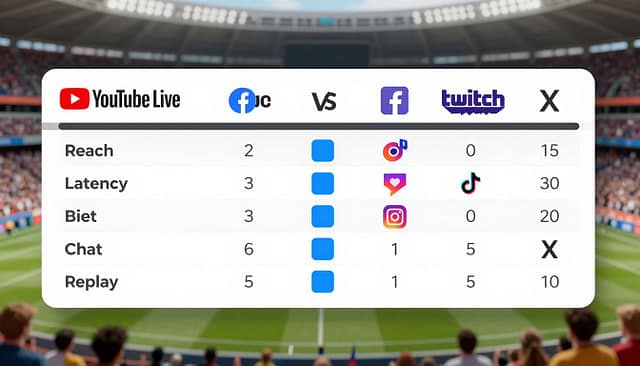
Knowing these details helps you choose the right platform. What works for a youth tournament might not for a semi-pro event. Let’s explore each platform’s strengths.
YouTube Live
YouTube Live has a huge platform reach thanks to its huge user base. Its algorithm can recommend your stream to millions, helping you reach new viewers.
YouTube supports high-quality streams with great bitrate options. This means your sports action will look crisp and clear. Its latency is low, usually 2-5 seconds, perfect for live sports.
The live chat on YouTube is robust, with tools for moderation. Its best feature is the replay system. Every stream is saved as a VOD, making it easy to share highlights later.
Facebook Live
Facebook Live is great for tapping into your community. Its platform reach is strong in closed groups and pages. It also sends live notifications to followers quickly.
Facebook Live’s latency is higher, often 5-10 seconds or more. This makes it less ideal for real-time interaction. The bitrate is solid, allowing for good HD streaming from mobiles.
The chat function is integrated with Facebook’s social features. This allows for reactions and shares. But, replay videos can get lost in the news feed algorithm, unless you pin them.
Twitch
Twitch is known for its dedicated live communities, originally for gaming and esports. Its platform reach is highly targeted. You get an audience used to watching live, interactive content for hours.
Twitch is built for low latency. It can achieve sub-2-second delays with proper setup, ideal for fast sports and real-time fan interaction. It also supports a high video bitrate, giving streamers control over visual quality.
The chat culture on Twitch is its hallmark, with emotes, channel points, and intense moderation needs. For replay, streams are saved as VODs for 14 days, but highlights can be saved forever.
Instagram Live & TikTok Live
These platforms are mobile-first and built for spontaneity. Their platform reach is viral and discovery-based. TikTok’s “For You Page” (FYP) can push a live stream to a massive, unexpected audience instantly.
A major limitation is latency. Streams on these apps can have significant delays, sometimes 10+ seconds. They also restrict video bitrate and quality compared to desktop-focused platforms, as they are optimized for mobile cellular networks.
The chat is simple and fast-paced, with comments flying by. Moderation tools are basic. Crucially, replay options are limited. Instagram Live videos disappear after 24 hours unless you download them, while TikTok offers a limited replay window.
X (formerly Twitter)
X provides a unique real-time public square. Its platform reach leverages the fast-breaking news cycle. Live sports moments can trend globally, attracting viewers who are following event hashtags.
The platform’s latency performance is middling, often similar to Facebook Live. Its bitrate support is competent but not exceptional. The strength of X lies in its integration of live video into the text-based conversation feed.
The chat happens in the replies and quote tweets, creating a sprawling, sometimes chaotic discussion. For replay, streams are available as replays on your profile, but they lack the dedicated video library of a platform like YouTube.
| Platform | Primary Audience & Reach | Typical Latency | Max Video Bitrate Support | Chat & Interaction | Replay & VOD Policy |
|---|---|---|---|---|---|
| YouTube Live | Broad, search-driven global audience. High discoverability. | 2-5 seconds (Low) | Very High (Up to 4K) | Robust moderation, super chat, polls. | Automatic, permanent VOD archive. |
| Facebook Live | Existing community & group networks. Strong notification system. | 5-10+ seconds (Medium-High) | High (Good HD from mobile) | Integrated social reactions, shares. | Replays in feed, can be buried. Can download. |
| Twitch | Dedicated live viewers, gaming/esports communities. | 1-3 seconds (Very Low) | Very High (Excellent quality control) | Rich culture with emotes, channel points. | 14-day VOD for standard, highlights permanent. |
| Instagram/TikTok Live | Mobile-native, viral, discovery-based (FYP). Younger demographic. | 10+ seconds (High) | Medium (Optimized for mobile data) | Simple, fast-paced comments. Basic tools. | Limited. Instagram: 24-hr disappear. TikTok: short replay. |
| X (Twitter) | Real-time news followers, hashtag communities. | 5-10 seconds (Medium) | Medium-High | Conversation in replies/quote tweets. | Replays available on profile. No dedicated library. |
This comparison table gives you a quick guide. Remember, the best platform depends on what you value most. Do you want maximum platform reach, the lowest latency, the highest bitrate, deep fan interaction, or long-term content value?
Monetization: ads, subs, tips, brand integrations, affiliate links, sponsor overlays
The business side of live sports streaming is complex. It includes everything from fan tips to brand partnerships. Each has its own rules and requirements. Your monetization strategy is key to making your broadcast profitable.
Direct fan support is a quick way to earn money. Platforms like BIGO LIVE and TikTok Live use virtual gifts. Viewers buy and send these gifts, which turn into real money for streamers.
On Facebook and Twitch, fans can tip streamers with one-time contributions. For ongoing income, Twitch and YouTube subscriptions offer perks for a monthly fee. But, getting access to these tools can be hard. TikTok needs 1,000 followers for virtual gifts, and YouTube’s Partner Program has strict requirements.
Advertising revenue is a passive income stream, but it’s mainly for big channels. Once you qualify, YouTube and Facebook share ad revenue with you. Building a large, consistent audience is key to making this work. This is where growing your sports event audience online really matters.
Brand and partnership revenue gives you creative control. This includes brand integrations and sponsor overlays. These are graphic banners or logos in your stream’s video feed. Affiliate links also work well, earning you a commission on sales of recommended products.
The accessibility of these models varies by platform:
- Immediate Monetization: Virtual gifts/tips on platforms like BIGO LIVE or Facebook Stars can be used from day one.
- Gated Programs: Ad revenue and subscriptions on YouTube or Twitch require meeting specific eligibility criteria.
- Universal Tools: Affiliate links and custom sponsor overlays can be implemented on any platform, giving you full control.
Using a mix of methods is often the best strategy. You might use virtual gifts for fan engagement and a sponsor overlay for a local sports brand. Adding affiliate links for your camera gear can also help. This way, you can build a strong financial model around your sports content.
Compliance and rights: music/clip usage, DMCA, broadcast rights checklist
Compliance is not just about following rules; it’s about protecting your sports streaming business. Many overlook the legal side, which can lead to big problems. This section will help you stream safely.
Copyright law gives creators special rights over their work. This includes music, video clips, and sports events. The Digital Millennium Copyright Act (DMCA) in the U.S. explains how online platforms handle copyright claims. Using material without permission can lead to a DMCA takedown notice.

Each platform has its own rules for copyright. Twitch is very strict, using systems to mute videos and issue strikes for unlicensed audio. Facebook Live and YouTube Live also have strong content ID systems. Instagram and TikTok Live may have shorter streams but are not exempt. Violations can cause suspensions, demonetization, or account termination.
Using unlicensed music can be risky. A single DMCA claim can delete your stream, affecting your archive and analytics. Repeated offenses can ban your account, harming your channel’s growth and community. Also, using highlight clips from major networks without permission is a direct infringement of their broadcast rights.
Securing music licensing is key. You have several options:
- Use royalty-free music libraries or subscription services designed for streamers.
- Purchase direct licenses from artists or rights societies like ASCAP or BMI.
- Utilize the platform’s own licensed audio library, if available.
For sports events, broadcast rights are critical. You must get explicit permission from the league, tournament organizer, or venue. Amateur events may have simpler agreements, but professional leagues are very protective of their rights. Never assume you have the right to stream just because you bought a ticket.
To navigate these complexities, use this practical rights clearance checklist:
| Area | What to Clear | Action Steps |
|---|---|---|
| Music & Audio | All background music, sound effects, and walk-out songs. | Source tracks from approved libraries; keep licenses on file. |
| Video Clips & Highlights | Any pre-recorded footage not shot by your team. | Obain written permission from the copyright holder (e.g., ESPN, NBC). |
| Event Rights | The right to broadcast the live competition. | Contact the event organizer for a written broadcast agreement. |
| Platform TOS | Specific rules on music, monetization, and content. | Review the latest platform guidelines before every stream. |
Understanding how platforms enforce these rules is key. For more on this, check out how live streaming platforms handle DMCA in gaming. The principles are similar for sports.
Seeing compliance as a core element makes your production professional. It protects your investment, keeps your stream online, and builds trust with viewers and partners. By securing the right permissions, you lay a solid foundation for growth and monetization.
Production workflows: mobile only, single camera, multi-cam with RTMP/SRT, ISO record, cloud vs local encoding
After picking your platform, it’s time to set up a production workflow. This workflow is your guide for capturing, processing, and sharing your video. We’ll show you how to choose from simple to complex options.
Going live with just a smartphone is quick and easy. Use a platform’s app (like Facebook Live or YouTube) and a tripod for stability. This is great for quick updates or covering small events.
Stepping Up: The Single-Camera Setup
For a better look, use a single camera with a computer. You’ll need:
- A DSLR, camcorder, or high-quality webcam.
- Capture hardware (like an Elgato Cam Link) to get the video into your computer.
- Broadcasting software like OBS Studio (free), vMix, or Wirecast.
This setup lets you add graphics and switch between sources. It gives you control from one place.
Professional Multi-Camera Productions
For big games, a multi-cam setup is needed. You’ll need several cameras and a switcher (like vMix).
Streaming protocols like RTMP and SRT are key. SRT is better for shaky networks, keeping your stream stable.
ISO record is a big plus. It lets you record each camera separately. Later, you can edit the game from any angle.
Encoding: Cloud Services vs. Local Hardware
Encoding turns your video into a stream. You have two main choices:
Local Encoding: Your computer or a dedicated encoder does the work. This gives you control but needs strong local power.
Cloud Encoding: Cloud services like VdoCipher handle encoding. They take a single feed and make multiple versions. This is easier and scalable.
Choosing your workflow depends on your goals and resources. Start simple and add more features as you grow.
Analytics that matter: CCV, peak concurrence, average watch time, chat rate, CTR to ticketing/merch
Streaming your sports event is just the start. The real challenge comes after the stream ends. Then, the data starts flowing in.
Smart broadcasters look at more than just view counts. They focus on metrics that show how people interact with their content. These numbers help them understand what works and what doesn’t.
Concurrent Viewers (CCV) shows how many people watch at any time. The peak concurrency is even more important. It tells you when your audience was biggest.
Was it the start of the game, a penalty shootout, or a halftime interview? Knowing this helps plan when to mention sponsors or make important announcements.
Average watch time shows how engaging your content is. For live sports, it’s 27% higher than for videos you can watch anytime. A high average watch time means fans stay until the end.
This is a sign to platforms that your stream is valuable. It makes your stream easier to find.
Chat rate measures how much people interact with your stream. A high chat rate means your audience is passionate and involved. It turns viewers into participants.
By watching chat in real-time, you can see how fans react. This is possible on YouTube or Facebook.
The most important metric for making money is Click-Through Rate (CTR). It shows how many viewers click on links to buy tickets or merch. A low view count with a high CTR is more valuable than a big audience that doesn’t act.
Always track CTR on any link you share.
Captions are also important. They’re not just for accessibility. They show how attentive your audience is. Many viewers use captions in noisy places or to follow commentary better.
A high caption usage rate means your audience is very engaged.
Platforms like YouTube Studio and Facebook Creator Studio give you real-time analytics. Your goal is to understand this data. Which parts of the game were most popular? What made viewers drop off?
Did a specific call-to-action work better than others?
The table below breaks down these essential metrics, their sources, and the strategic actions they inform.
| Metric | What It Tells You (Data Source) | Strategic Action |
|---|---|---|
| CCV & Peak Concurrency | Real-time audience size and its maximum moment. (Platform real-time analytics) | Schedule key ads, sponsor reads, or important announcements during peak moments. Identify the most engaging parts of your event. |
| Average Watch Time | Overall content stickiness and viewer retention. (Platform post-stream analytics) | Analyze segments where viewers dropped off. Double down on content formats that kept people watching longer. |
| Chat Rate & Sentiment | Level of audience passion and real-time reaction. (Platform live chat analytics) | Engage with fans during the stream to boost community. Use positive sentiment clips for promotional highlights. |
| CTR to Ticket/Merch | Direct commercial effectiveness of your calls-to-action. (Link shortening tool analytics) | Test different CTA placements, messaging, and offers. Invest more in promoting streams that drive high conversions. |
| Caption Usage Rate | Audience preference for captions and attentive viewing. (Platform accessibility reports) | Invest in quality live captioning services. Promote the availability of captions to attract a wider, more engaged audience. |
By focusing on this actionable data, you move past vanity. You gain the insights needed to refine your production, deepen fan engagement, and directly boost revenue. This analytical approach turns every broadcast into a learning experience that makes the next one even more successful.
Decision Matrix by Event Type
A youth tournament, a semi-pro game, and a college showcase each need a special mix of tech and tactics. The right platform for your broadcast depends on the event’s main goal, audience, and resources. This section gives you a clear guide based on what you’ve learned.
Use the matrix below to quickly find the best streaming strategy for your event. It looks at audience reach, making money, production complexity, and cost.
Matching Platform to Purpose
The table below gives a quick comparison. We’ll dive into each event type in more detail later.
| Event Type | Primary Goal | Top Platform Recommendations | Key Strategic Considerations | Typical Production Level |
|---|---|---|---|---|
| Youth Tournament | Easy sharing with families & community | Facebook Live, Instagram Live | Low cost, mobile-friendly, built-in social sharing | Mobile-Only or Single Camera |
| Semi-Pro Sports | Fan engagement & revenue generation | YouTube Live, Twitch | Monetization features, interactive chat, replay value | Single or Multi-Camera (RTMP) |
| College Showcase | Professional presentation for recruiters | YouTube Live (high-quality), Dedicated RTMP to branded site | Reliability, high video quality, minimal latency, professional overlays | Multi-Camera with ISO record |
Youth Tournament: Community and Convenience
For a youth tournament, the audience is local. Parents, grandparents, and friends want an easy way to watch. Your main goal is to make it simple, not to make money.
Facebook Live is often the best choice. Almost every family is on Facebook. Sharing links is easy. You can stream from a phone, keeping costs low.
Go for a single-camera setup on a tripod for stability. Use clear title graphics to show team names. The decision matrix here focuses on ease above all else.
Streaming semi-pro sports changes the goal. You aim to grow a loyal audience and make money. Platforms with built-in monetization tools are key.
YouTube Live has superchat, memberships, and ad revenue. Twitch is great for subscriptions and bits for fan support. Both platforms offer replays for fans who miss the live action.
Invest in a better encoder and a multi-camera setup for a dynamic broadcast. Engage heavily with the live chat to build community spirit.
College Showcase: Quality and Credibility
A college showcase is high-stakes. The video is a professional tool for athlete recruitment. Image quality, stream stability, and a clean presentation are essential.
A high-bitrate YouTube Live stream works well due to its wide reach. For ultimate control, use an RTMP encoder to send the feed to a branded website or paywall service.
Production needs are higher. Use multiple camera angles, professional graphics with player stats, and an ISO recording of each camera for highlight reels. Latency must be low so online recruiters see the action in near real-time.
By using this decision matrix, you move from guesswork to a strategic choice. Always match your platform with your event’s main goal.
Setup checklist and run‑of‑show template
To make your live sports broadcast smooth, you need two key documents. These are a technical setup checklist and a detailed run-of-show template. They act as your broadcast guides. We’ve made them easy to use, based on professional methods.
This organized approach lowers stress and boosts your chance of a flawless stream. Let’s create your pre-production kit.
Your Pre-Broadcast Setup Checklist
Complete this list 24 hours before your event. It focuses on the four main parts of a professional broadcast.
- Equipment & Technical: Check all cameras, audio mixers, and encoders. Make sure your internet is stable with a wired connection. Confirm your stream keys and where they’re going. Charge all batteries and have extras. Do a full system check.
- Rights & Compliance: Get music licenses for your intro and outro. Secure any needed broadcast rights. Prepare a list of cleared video clips for replays. Double-check sponsor logos and graphics.
- Content & Graphics: Add player names and stats to lower-thirds. Prepare your graphics pack (scorebug, transitions, sponsor overlays). Write intro and outro scripts. Confirm what your commentators or hosts will say.
- Promotion & Prep: Schedule social media posts. Test your live link on your event page. Brief your crew and talent on the run-of-show. Have a backup plan for tech issues.
This template organizes your broadcast flow. It keeps your team on the same page and ensures you cover all sponsor reads, halftime features, and key moments.
Here’s a basic plan for a 2-hour sports event. For a more detailed, customizable version, you can download our detailed run-of-show template.
- Pre-Show (30-15 mins before): Silent countdown slate or pre-roll ads. Background music.
- Show Open (15-5 mins before): Live host welcome. Overview of the event. Key storylines. First sponsor integration.
- Kick-Off/Tip-Off (Game Start): Switch to game feed. Primary commentary starts. Scorebug turns on.
- Quarter/Half Breaks: Planned replay highlights. Sponsor reads. Quick analyst segment. Promotion for upcoming events or merch.
- Halftime (Extended Break): Feature interview (coach/player). Deep analysis. Multiple sponsor segments. Ticketing/merchandise call-to-action.
- Second Half/Critical Moments: Resume game coverage. Highlight big plays with instant replay. Integrate social media comments from chat.
- Post-Game (5-15 mins after): Final score and recap. Player of the game announcement. Thank sponsors and viewers. Post-game interview. Direct viewers to on-demand replay.
Print this run-of-show template and share it with your team. During the broadcast, a dedicated producer should announce each transition. This simple step makes your production look professional.
Case mini‑studies + tool stack examples
Seeing how ideas work in real life helps you choose the right tools for live sports. These short stories show how different groups use their tool stacks.
Local Basketball League Broadcast
A local basketball league streams its games on weekends. They aim to keep fans engaged and highlight sponsors. They use two cameras, including DSLRs, and OBS Studio for everything.
Their setup includes Canon cameras, an audio mixer, and OBS. They add sponsor logos as overlays. The stream goes to YouTube Live for its wide reach and chat feature. This shows how OBS can make streams look pro.
Regional Esports Tournament
A college esports event runs a big tournament. They need fast streaming for live chat and real-time stats. They use vMix for switching, handling many feeds and a live leaderboard.
They have a more complex setup. It includes game capture PCs, a Blackmagic Design ATEM switcher, and vMix. A Teradek VidiU Go ensures a smooth stream to Twitch. Fans can watch multiple games at once. This setup shows vMix and encoding hardware’s power in complex events.
These examples are a good starting point. Your tool stack depends on your event’s size, budget, and goals. Use these stories to create your own broadcast system.


