

Does your sports marketing feel like a never-ending race? You’re always in a rush. Building pre-game excitement, keeping up with live updates, and analyzing post-game is a big task.
It’s like running a marathon, not a sprint. But what if you had a plan that worked for you? A smart strategy that does the hard work for you.
Now, imagine using smart templates and AI tools to automate your work. A system that plans, creates, and publishes your content perfectly.
This means you get more free time. Your followers get better, more regular content. You go from being reactive to proactive.
Let’s explore how to set up this pre-live-post machine. It’s simpler than you might think. We’ll walk you through it all.
The Three‑Phase Cadence Revisited (Automation Lens)
Imagine if your content plan could predict needs and handle tasks across all three game phases without needing constant manual input. This is what happens when you look at the classic pre-live-post cadence through an automation lens. It’s like giving your strategy a set of self-driving capabilities!
We all know the drill. Before the game, you’re scrambling for previews and lineups. During the live action, you’re racing to post highlights. After the final whistle, you’re packaging recaps and stats. It’s a relentless cycle. But what if each phase could flow into the next, powered by smart templates and AI assistants?
Let’s break it down. Automation doesn’t mean removing the human touch. It means removing the repetitive, time-consuming busywork. This frees you up for creative strategy and real-time engagement. Think of it as upgrading from a paper playbook to a dynamic, digital game plan that adjusts on the fly.
Here’s how modern tools transform each phase:
- Pre-Event: Instead of building timelines from scratch, a tool like Taskade’s AI Sports Event Planning Gantt Chart Generator can automatically map out every task. It visualizes your entire workflow from months out to game day.
- Research & Prep: Platforms like Machina demonstrate the sheer time savings. They can reduce research from hours to minutes, letting your team plan 3-5x more events without growing the staff.
- Live & Post-Event: Solutions like Content Stadium allow you to set up automated content switches. A final score graphic can be duplicated and slightly altered for Instagram, Twitter, and your website in one click.
The result? A predictable rhythm replaces the stressful scramble. Your calendar stops being a simple to-do list and starts acting like a central command center.
To see the difference clearly, let’s compare the old manual way with the new automated approach side-by-side:
| Content Phase | Manual Process (The Old Way) | Automated Approach (The New Way) |
|---|---|---|
| Pre-Game (Pre) | Manually researching opponents, drafting unique timelines for each event, creating individual graphic briefs. | AI generates a master timeline template. Data feeds populate opponent stats. A library of pre-designed preview templates is ready to use. |
| Live Game (Live) | Staff monitors broadcast for clips, manually edits videos, writes captions on the fly, and posts individually to each channel. | AI suggests top highlight clips based on crowd noise or key plays. Caption drafts are auto-generated. Content is queued with one-click multi-channel distribution. |
| Post-Game (Post) | Compiling stats manually, designing unique recap graphics, writing summary posts, and analyzing performance across separate platforms. | Final scores and player stats auto-populate into template packs. Performance reports are generated automatically, showing engagement across all phases. |
This table shows a fundamental shift. The automated column is all about working smarter. You’re not doing less content; you’re doing more strategic content with less grunt work. The system handles the repetition, ensuring brand consistency and never missing a beat.
By applying this lens, your entire content calendar transforms. It becomes an engine—a reliable system that drives fan engagement before, during, and after every match. You move from reactive to proactive, from overwhelmed to in control. Ready to see the tools that make this possible? Let’s explore your new template library next.
Template Library: previews, lineups, milestones, final score packs
A good template library is key to making sports content fast and easy. It’s like having a digital pantry full of snippets for your channels.
Snippets are pre-made content blocks. Just add new details like team names or player stats, and you’re ready to post. This makes design work quick and easy.
Your library should have four main types of snippets:
- Previews: Graphics to get fans excited for games or events.
- Lineups: Clean announcements of starting rosters.
- Milestones: Graphics for player achievements or team records.
- Final Score Packs: Quick graphics for game results.

What makes it great is how flexible it is. Tools like Content Stadium let you easily change designs for different sports. You can switch themes in seconds.
Tools like Machina offer specific solutions for sports content. They have templates for Matchday Studios or Viral Stats Generators. These are designed to make your sports stories hit the mark every time.
To build your library, start with your best past posts. Use those to create your first templates. Organize them by sport, content type, and platform.
The goal is to free up your team for creativity, not just design work. With a solid library, you can focus on strategy and storytelling. This ensures your content is consistent, you work faster, and you never miss a moment.
Start with simple templates like previews and final scores. Soon, your library will be the heart of your content engine. It will help you deliver top-notch content all season.
AI Assist Safely: caption drafts, clip selects, alt text (human review)
Using AI assistance in your sports content workflow is smart. It’s like having a quick, clever intern. They can write captions, find great game clips, and add alt text to images. Your role becomes more about adding the final touches and creativity.
This method focuses on three key areas where AI excels:
- Caption Drafts: AI quickly analyzes game moments and stats to create engaging captions.
- Clip Selects: It finds and marks important moments in broadcasts, like amazing goals.
- Alt Text: It adds descriptions to images, making your content accessible and saving time.
The key to this approach is the “human-in-the-loop” model. You’re always in charge, ensuring your content reflects your brand’s voice and style. Platforms are designed for this teamwork.
For example, Machina’s systems help with storylines and player news. Producers then review and refine this content for their audience.
Tools like Content Stadium also offer AI help, like removing backgrounds or adding elements. Your team makes the final creative decisions. AI does the repetitive tasks, letting you focus on the storytelling and what fans want to see.
Setting up this process is easy. Just make sure AI-generated content is reviewed by your team before it’s shared. This ensures it fits your brand’s tone and goals.
This isn’t about AI replacing creativity. It’s about augmentation. AI does the initial work, freeing you to focus on storytelling and emotional connections. You get consistency and scale without losing your unique voice.
See AI assistance as your productivity boost. Use it to draft, suggest, and describe, then refine and publish with your expertise. It’s a safe and smart way to work faster and smarter, keeping you in control of your content strategy.
Scheduling + Rules: quiet hours, geo variations, frequency caps
A smart content scheduler is like a helpful assistant for your social media. It doesn’t just post on a timer. It thinks about when your audience is most likely to see it.
Setting smart rules makes your scheduler more than just a timer. It becomes a tool for engaging with your audience.
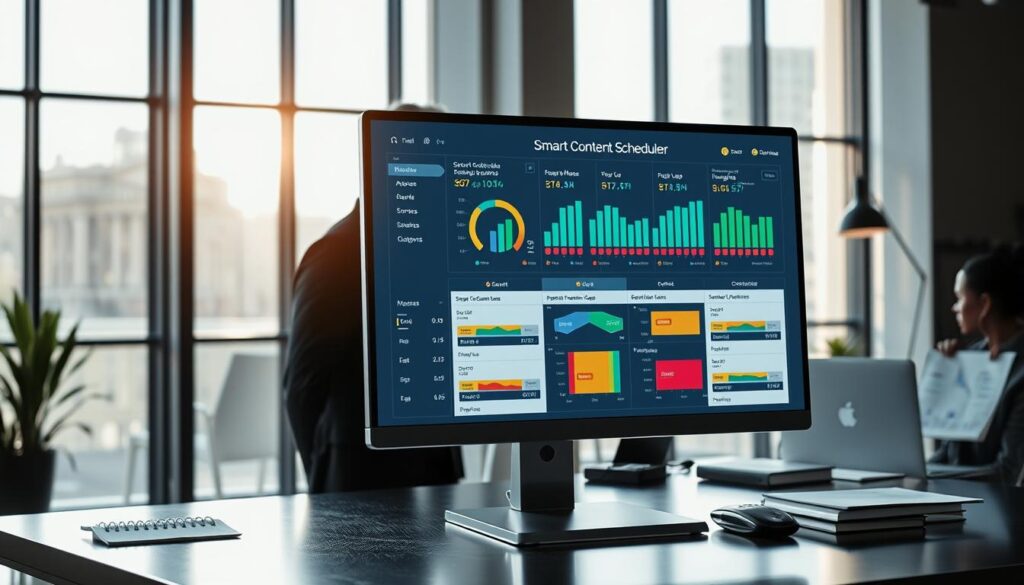
Who wants a post about a game at 2 AM? Quiet hours are a rule that says, “Don’t post during these times.” You can set them for late at night or during dinner. Tools like Content Stadium make it easy to set these times.
Your posts wait until it’s okay to share, so you don’t disturb your fans.
2. Geo Variations: Speak Locally to a Global Fanbase
Your fans are all over the place. Geo-targeting lets you post differently for different places. For example, a “We won!” post is great, but a geo variation for your hometown could say, “Celebrate with us in [City Name] tonight!”
This makes followers feel connected. A smart scheduler can handle these variations, posting the right one for each place.
3. Frequency Caps: Avoid Audience Fatigue
Posting too much can lose followers. Frequency caps limit how many posts you can send in a short time. For example, three per day on Twitter.
This rule makes you think about your content. It ensures each post gets noticed, making every update count.
With a tool like Content Stadium, you can plan a week’s posts for Facebook, Twitter, and LinkedIn at once. It drafts, applies rules, and sets your schedule. The scheduler then posts at the best times, following your rules.
This is like managing your time for events, like Taskade’s Gantt Chart Generator for projects. You’re not just posting; you’re planning a campaign.
Think of it as teaching your scheduler good manners. It knows when to post, remembers your audience, and doesn’t overdo it. This way, your content reaches the right people at the right time, every time.
Dynamic Inserts: scores, player stats, seat maps, weather
Dynamic inserts make content come alive by reacting to real events. They’re like smart spots in your designs. No need to update graphics manually when scores change!
So, how does it work? Your design tools, like Content Stadium or Machina, link templates to live data. This can be from sports leagues or your own CSV files. When new data comes in, like a player’s stat or a score, the design updates itself. For example, Machina’s graphics change with the game’s context.
- Real-Time Scores: Graphics that celebrate when your team wins.
- Player Stats: Bio cards that update with the latest stats or milestones.
- Interactive Seat Maps: Stadium diagrams showing available tickets for a game.
- Local Weather: Graphics that adjust for the weather on game day.
But, with this power comes the need for control. What if the API gives a wrong score? That’s where approval bots come in. You can set these bots to check content before it goes live.
An approval bot might flag stats that seem off or scores that don’t match records. It then sends that content for a quick human check. This makes sure your graphics are always right and on-brand.
Here’s a quick guide to what you can automate and how to keep it safe:
| Data Type | Use Case Example | Common Data Source | Safety Check with Approval Bots |
|---|---|---|---|
| Live Scores | Final score social post | League API (e.g., NFL, NBA) | Flag scores that deviate from major news outlets. |
| Player Statistics | Star player highlight reel | Team CSV export or sports database | Review stats that are 20% above season average. |
| Seat Map Availability | “Last few tickets!” promotion | Ticketing platform API | Confirm map matches current inventory before posting. |
| Local Weather | Game-day “dress code” graphic | Weather service API (e.g., AccuWeather) | Double-check severe weather alerts. |
Setting up these systems might seem complex, but it’s like setting a smart thermostat. You set the rules once, and it works perfectly every game day. Dynamic data and smart approval bots give you speed and trust. Your audience gets instant, relevant content, and you get peace of mind.
Workflow in Tools: Asana/Notion → DAM → scheduler → approvals
The secret to making sports content consistently is automating the process between tools. Think of your workflow as a content assembly line. Each station has a specific job, and materials flow smoothly from one to the next.
When this pipeline is manual, things get stuck. Emails pile up. Files get lost. Deadlines are missed. But when you connect your tools, magic happens. Your team gains hours back every week.
Let’s map out the ideal automated journey. It starts with a task in a project manager like Asana or Notion. This is where the content idea is born and assigned.
Next, all related assets—logos, player photos, template graphics—live in a Digital Asset Manager (DAM). This is your single source of truth. No more searching through chaotic folders!
The content is then assembled, often using your templates. After that, it’s sent to a social media scheduler. But it’s not ready to post yet. It needs a final check—an approval.
This is where many workflows break down. Someone must remember to check, comment, and approve. This is the perfect place for approval bots to step in.
These smart automations watch your workflow. When a post reaches the “ready for review” stage, the bot automatically notifies the right manager. If feedback is overdue, it sends a gentle reminder. No human has to play traffic cop.
| Workflow Stage | What Happens | Common Tools | Automation Opportunity |
|---|---|---|---|
| Ideation & Task Creation | Content brief is written and assigned with a due date. | Asana, Notion, Taskade | AI can suggest topics or auto-create tasks from a calendar. |
| Asset Collection | Photos, logos, and video clips are pulled from a central library. | Google Drive, Dropbox, Brandfolder | DAM tags assets automatically, making search instant. |
| Content Assembly | Copy and visuals are combined using pre-made templates. | Canva, Content Stadium, Adobe Creative Cloud | Dynamic fields auto-fill scores, stats, or player names. |
| Scheduling | Post is placed in the publishing queue for a specific time. | Buffer, Hootsuite, Later | Rules auto-schedule based on optimal engagement times. |
| Review & Approval | A manager checks for brand voice and accuracy before go-live. | Email, Slack, dedicated approval bots | Bots route work, track status, and nudge for feedback. |
Tools like Taskade show us how to begin with AI project setup. The system creates the initial structure so your team can focus on customization.
Machina’s approach highlights moving from automated research to human refinement. The machine gathers data, but the human adds the creative spark.
Content Stadium demonstrates a complete flow—from design directly in the tool to final publishing. This eliminates exporting and re-uploading files.
By connecting these dots, you build a content highway. Tasks, assets, and approvals flow automatically. Your creatives spend less time on logistics and more time on what they do best.
The result is powerful. You eliminate the biggest bottlenecks: waiting for assets, chasing approvals, and manual uploading. Your calendar runs itself, and your team can breathe.
Start by mapping your current process on a whiteboard. Identify one handoff point you can automate this week. Small wins build momentum toward a fully automated workflow!
Governance: roles, naming, version control, archive policy
Calendar governance is about giving your team clear rules, not stifling creativity. It’s like a rulebook for your content. Good rules help your team work better, not worse.
Let’s look at the four main parts of a good governance system.
1. Define Clear Roles and Permissions
Knowing who does what is key. Without it, mistakes and delays happen. Assign roles like editing, approving, and publishing.
For example, your social media manager might draft posts. But a brand manager must approve them. Your intern can get stats but can’t publish. Tools like Content Stadium make setting these rules easy.
An activity log is a big help. It tracks every change. This builds trust and accountability in your team.
Use a format like: Sport_EventType_Date_Platform_Version. For example: Football_Preview_2024-10-15_Instagram_v1. This makes finding files easy.
Tools can enforce your brand’s look and feel. This keeps your content consistent, without needing to remember every detail.
3. Implement Version Control
Never lose a great idea again! Version control saves drafts so you can always go back.
Maybe your first draft was perfect, but later versions lost something. Version history lets you go back to that first draft. This is key when many people are working on the same thing.
Draft saving features keep your work safe. They let you work together without worrying about losing anything. It’s a safety net for your creative work.
4. Set an Archive Policy
Not everything stays forever. An archive policy decides when to retire old content. This keeps your workspace clean and focused.
Archive content two months after it’s done. Move it to an “Archive” folder. This keeps your current work tidy but keeps old data for reports or planning.
Clear policies, like the sports governance code, are essential. Your content operations need the same structure.
Here’s a quick-reference table to show how these pillars work together:
| Governance Pillar | Main Purpose | Key Action for Your Team | Tool Feature Example |
|---|---|---|---|
| Roles & Permissions | Prevent errors, clarify ownership | Define who can edit, approve, and publish | Custom user role settings; activity log |
| Naming Conventions | Ensure fast, reliable file retrieval | Create and enforce a standard naming formula | Brand kit locking (fonts, colors) |
| Version Control | Protect work and enable safe collaboration | Save drafts frequently; use “revert” features | Automatic draft saving with history |
| Archive Policy | Maintain a clean, current workspace | Schedule regular archiving of old campaigns | Folder/project archiving functions |
By setting up these four areas, you create a solid calendar governance foundation. This structure lets your team focus on creating great content, not on administrative tasks.
The goal is to enable creativity, not limit it. With the right rules, your automated calendar becomes a powerful tool for efficiency and consistency.
Reporting: phase KPIs and fatigue checks
The final whistle has blown on your campaign. Now it’s time to measure your success. Automated reporting turns raw data into clear insights, showing you what worked.
Set key performance indicators for each phase. Track pre-event hype through engagement rates. Monitor live interaction spikes. Measure post-event reach and conversions. Tools like Content Stadium build these reports for you. Your dashboard updates in real time, thanks to automation.
Go beyond basic metrics with “fatigue checks.” Is your audience tiring of a certain meme format or video style? Automated dashboards can signal this burnout early. You can pivot your strategy, just like a coach reviews game tape to improve the next play.
Use these insights for continuous improvement. Tools like Taskade’s Gantt charts offer progress snapshots. Machina’s solutions imply tracking event volume and social output. This data-driven approach mirrors how elite sports teams operate. A study on sports performance KPIs highlights the need for clear metrics and communication. Let your automated reports be your proof of play and your plan to win the next season.